
On this page
Search
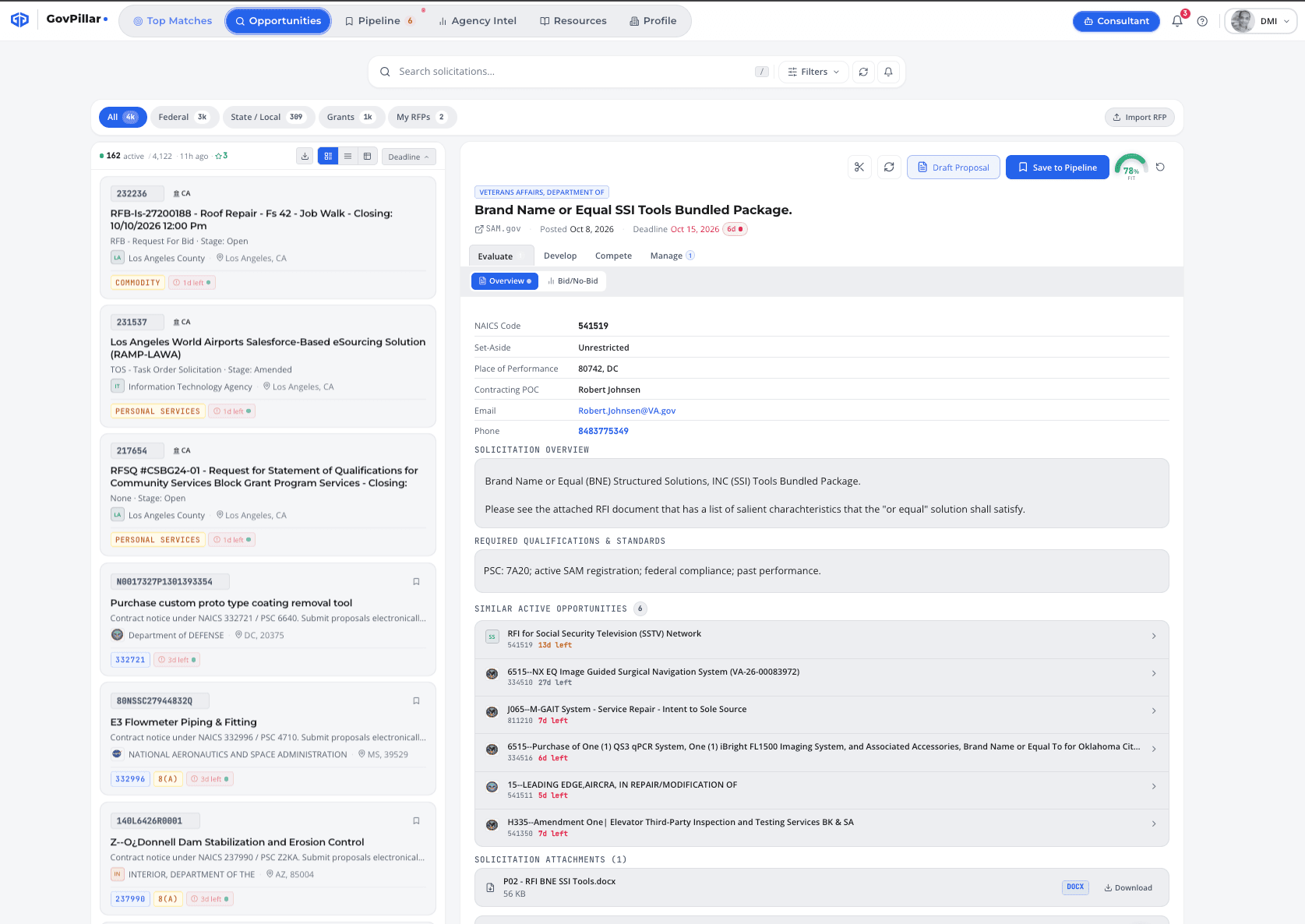
Press / to jump to the search bar from anywhere. It searches against solicitation title, number, description text, agency name, and NAICS code.
Results are sorted by deadline by default. Expired solicitations are automatically excluded — everything you see is still open.
Filters
Click Filters to open the filter panel. All active filters combine — e.g. Agency + Set-Aside narrows to that agency's set-aside awards only.
| Filter | What it does |
|---|---|
| Agency | Restrict to a specific department or sub-agency |
| NAICS Code | Prefix match — 5415 catches all IT subcategories. Comma-separate multiple codes. |
| Set-Aside | Small Business, 8(a), HUBZone, SDVOSB, WOSB, or Unrestricted |
| Notice Type | Solicitation, Presolicitation, Sources Sought, or Award Notice |
| Min / Max Value | Filter by estimated contract value |
| PSC Code | Product/Service Code for specific work categories |
| State | Restrict by place of performance |
| Contract Vehicle | GSA MAS, SEWP V, OASIS+, STARS III, Polaris, CIO-SP4 |
Searching multiple NAICS at once
Enter comma-separated codes — 541511,541512,541519 — to cover a family of related codes in a single search.
The Detail Panel
Click any result (or press Enter) to open the detail panel on the right. The tabs across the top group everything you need for that pursuit.
| Tab | What's inside |
|---|---|
| Overview | Full solicitation text, key requirements, contracting POC, place of performance |
| Evaluate | AI match score across 6 dimensions, strengths, gaps, and strategy |
| Develop | RFP Shredder, Compliance Matrix, and Bid Roadmap |
| Compete | Shipley Scorecard, Competitor Intelligence, and Pricing / Pwin calculator |
| Manage | CRM contacts, capture documents, and activity timeline |
Side-by-Side Comparison
When you're deciding between two opportunities, use the comparison view to see them side by side.
- Check the checkbox on the first opportunity card
- Check the checkbox on a second card
- Click Compare in the toolbar
- Both opportunities appear side by side — value, deadline, NAICS, set-aside, and more
Saved Searches & Alerts
Save any filter combination as a named search so you can re-run it in one click. You can also subscribe to email alerts that notify you when new matches come in.
- Set your filters and run the search
- Click Save Search in the filter bar
- Name it something useful — "DoD IT SB" or "VA Sources Sought"
- Toggle the alert bell to get email notifications for new matches
Grants
GovPillar also covers federal grant opportunities. Switch to the Grants tab — same search filters, same AI scoring, same pipeline.
Was this page helpful?