
On this page
Finding an Agency
Press I or click Agency Intel, then type the agency name, abbreviation, or sub-agency. GovPillar resolves common abbreviations and sub-agencies to their parent for spend rollup.
- Full name: Department of the Air Force
- Abbreviation: USAF, NASA, HHS, DoD, VA, GSA
- Sub-agency: DARPA, NIH, DEA, FBI, TSA, FEMA, CBP, ICE, IRS, CDC, FDA
Spend Dashboard
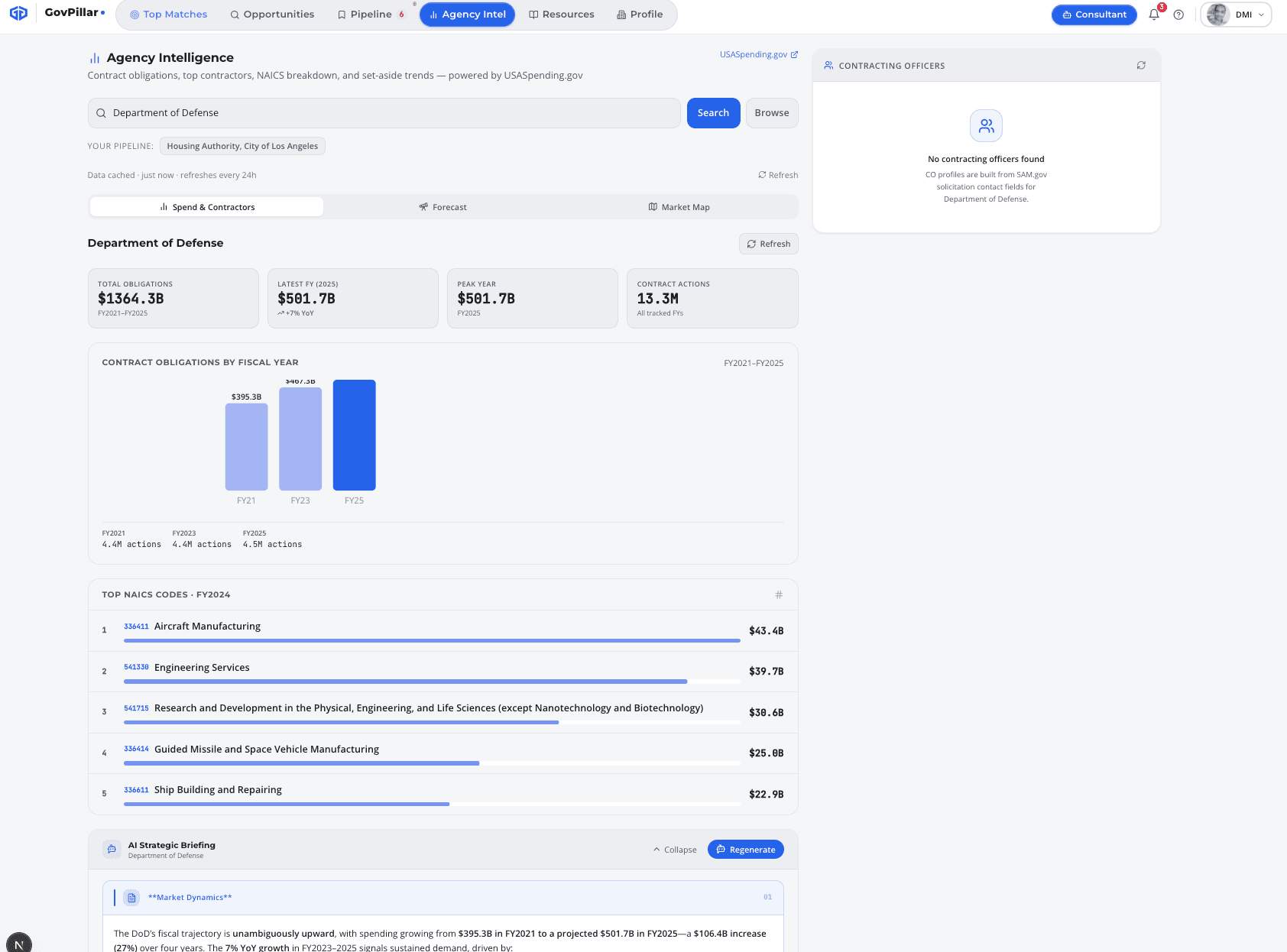
The spend dashboard gives you a quick read on how big a buyer this agency is, whether their budget is growing or shrinking, and how much goes to small businesses.
| Metric | What it tells you |
|---|---|
| Total Obligations | Cumulative spend across all tracked fiscal years |
| Latest FY Amount | What they spent in the most recent complete fiscal year |
| YoY Change | Growth or decline vs the prior year — green is up, red is down |
| Peak Year | The year they spent the most |
| Contract Actions | Number of individual awards in the latest FY — higher means more bid opportunities |
| Small Business % | Share of prime awards that went to small businesses |
The bar chart covers FY2021 through the current year. A consistent upward trend is a good sign. A spike one year that doesn't repeat often means a one-time program that won't recompete the same way.
Top Contractors
The top 10 contractors by obligation in the most recent complete fiscal year. This is the fastest way to identify who the incumbents are before digging into FPDS.
If a name shows up in the top 10 for this agency in your NAICS space, assume they're the incumbent or your primary competitor. Research them in the Competitor Intelligence tab when you find a specific opportunity.
Set-Aside Breakdown
Shows the percentage of FY spend that went to each small business program — overall SB%, 8(a)%, HUBZone%, SDVOSB%, and WOSB%.
Know your structural advantage
A high set-aside percentage in your certification category means the agency is actively using that program. An agency that spends 40%+ with 8(a) firms is a very different pursuit environment than one that spends 2%.
Pipeline Shortcuts & In-Line Access
Agencies already in your pipeline appear as quick-pick badges at the top of the Agency Intel search bar. Click one to load that agency's spend profile without typing.
Agency Intel data also appears inside the detail panel for every individual opportunity — pre-loaded for that opportunity's agency. You don't need to navigate to the Agency Intel tab separately.
Was this page helpful?